The Flock Tracker
One tracker for chickens, ducks and quail: birds, eggs, history and feed costs.
The Flock tracker (part of Pro) keeps the records for all your backyard birds in one place. It handles chickens, ducks and quail together, so a mixed flock is no problem. Open it from the menu under Flock, then tap the My Tracker tab.
Add a bird
Tap + Add bird, then choose the bird type. This is the key step: pick chicken, duck or quail, and the tracker adjusts the breed list and the feed calculations to match (a duck eats more than a chicken; a quail far less).
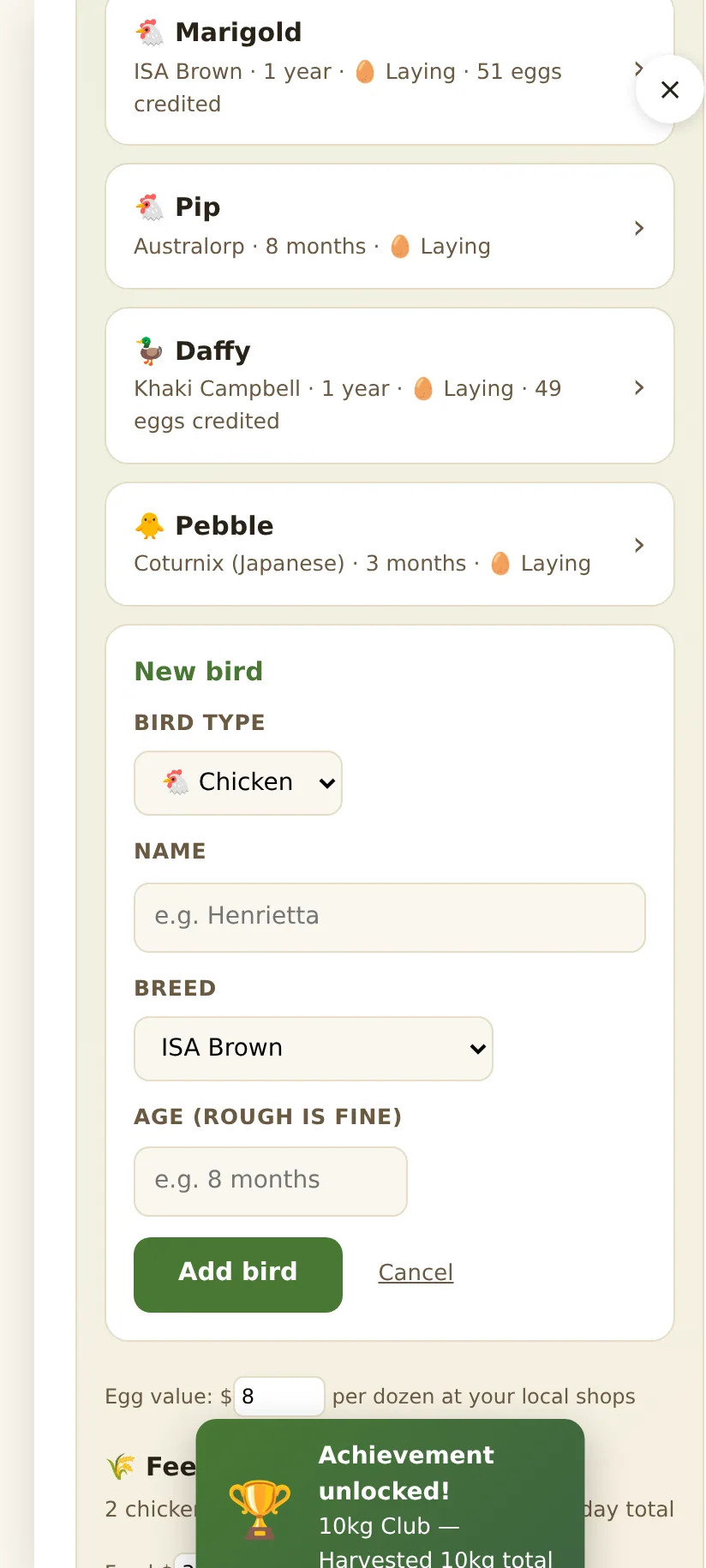
- Bird type first, then name, breed and rough age.
- Each bird gets her own page with a full laying history.
- Sold or rehomed birds can be removed; if one passes away, she moves to a gentle Remembered section, and you can undo that any time.
Log eggs
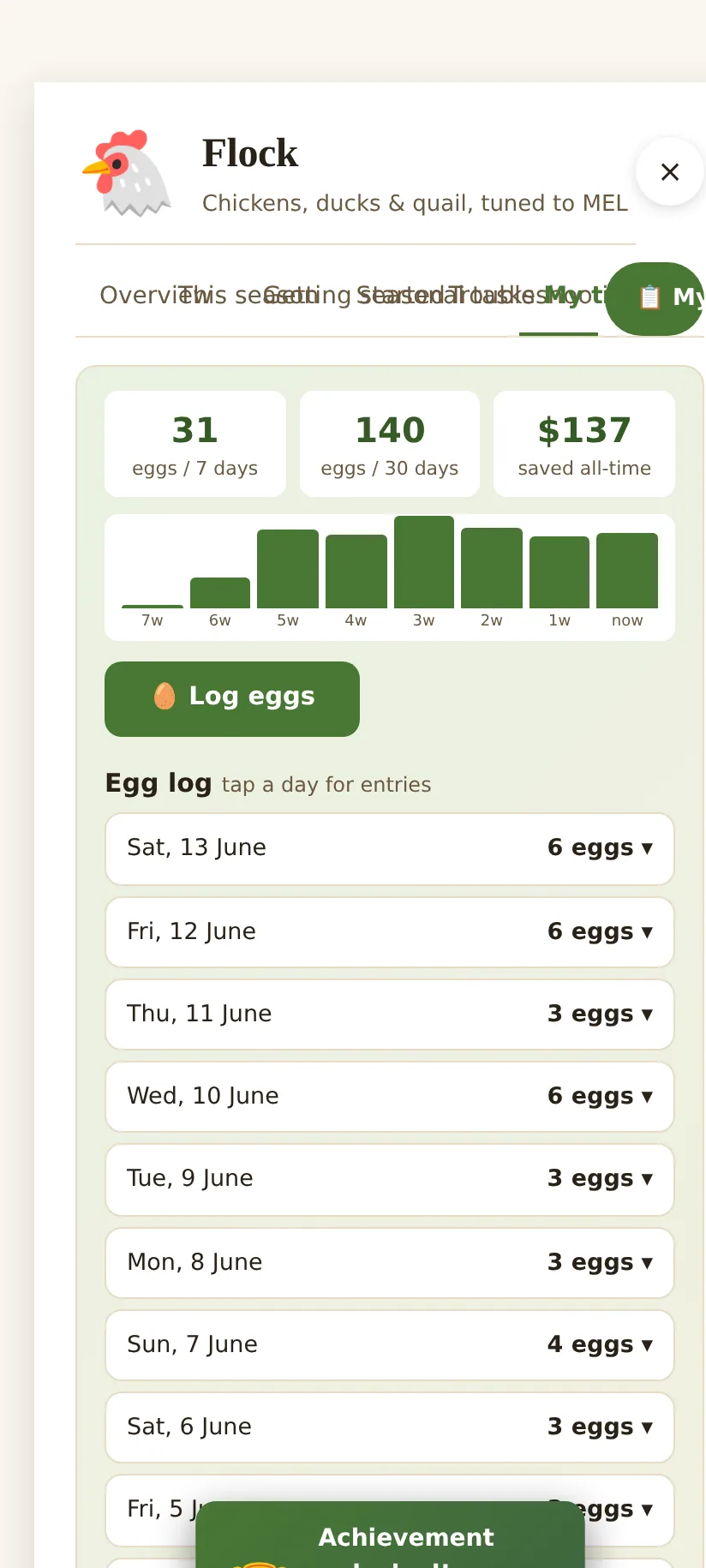
Tap Log eggs, enter how many and the date, and optionally credit a particular hen. The tracker shows eggs per week and per month, a laying graph, and an estimate of what those eggs are worth at the shops. Tap any day in the egg log to see or edit the individual entries.
Each bird’s own page
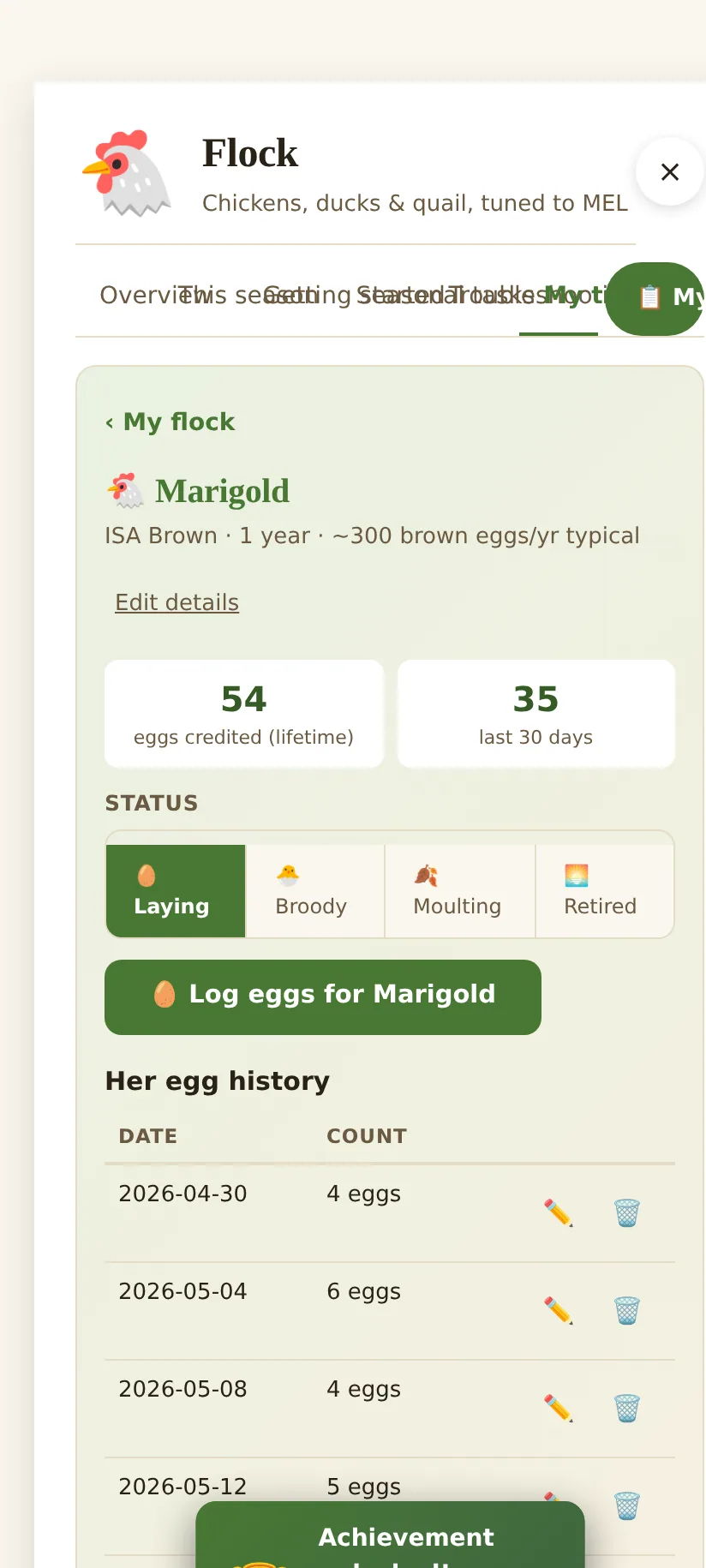
Tap any bird to open her page: lifetime eggs, last 30 days, her laying status (laying, broody, moulting, retired), her full egg history, and a notes field for health, quirks and vet visits.
Feed costs
Down the page, the feed calculator works out roughly how much feed your flock needs and what it costs, adjusted for each bird type and the season, then compares it against the value of the eggs so you can see whether the flock is paying its way.
What to plant, plus flock and hive jobs for the month, in one short email. No spam.